A workout ends, a few numbers appear, and the app gets closed. Fair enough. The exercise is done.
But there’s still something useful the app can do: help someone understand what they’ve just done and how it fits into their progress. Perhaps they’ll want to save the workout for next week. Perhaps they just want to check that it counted.
That’s a practical place to start with fitness app design. Fortnight’s work on New Image, an existing app for home fitness equipment, included reviewing user flows and designing features around connected workout data. Three decisions from the project are worth a closer look.

Make workout results easy to understand
A useful workout summary answers fairly ordinary questions. What did I finish? How long did it take? What do these numbers actually tell me?
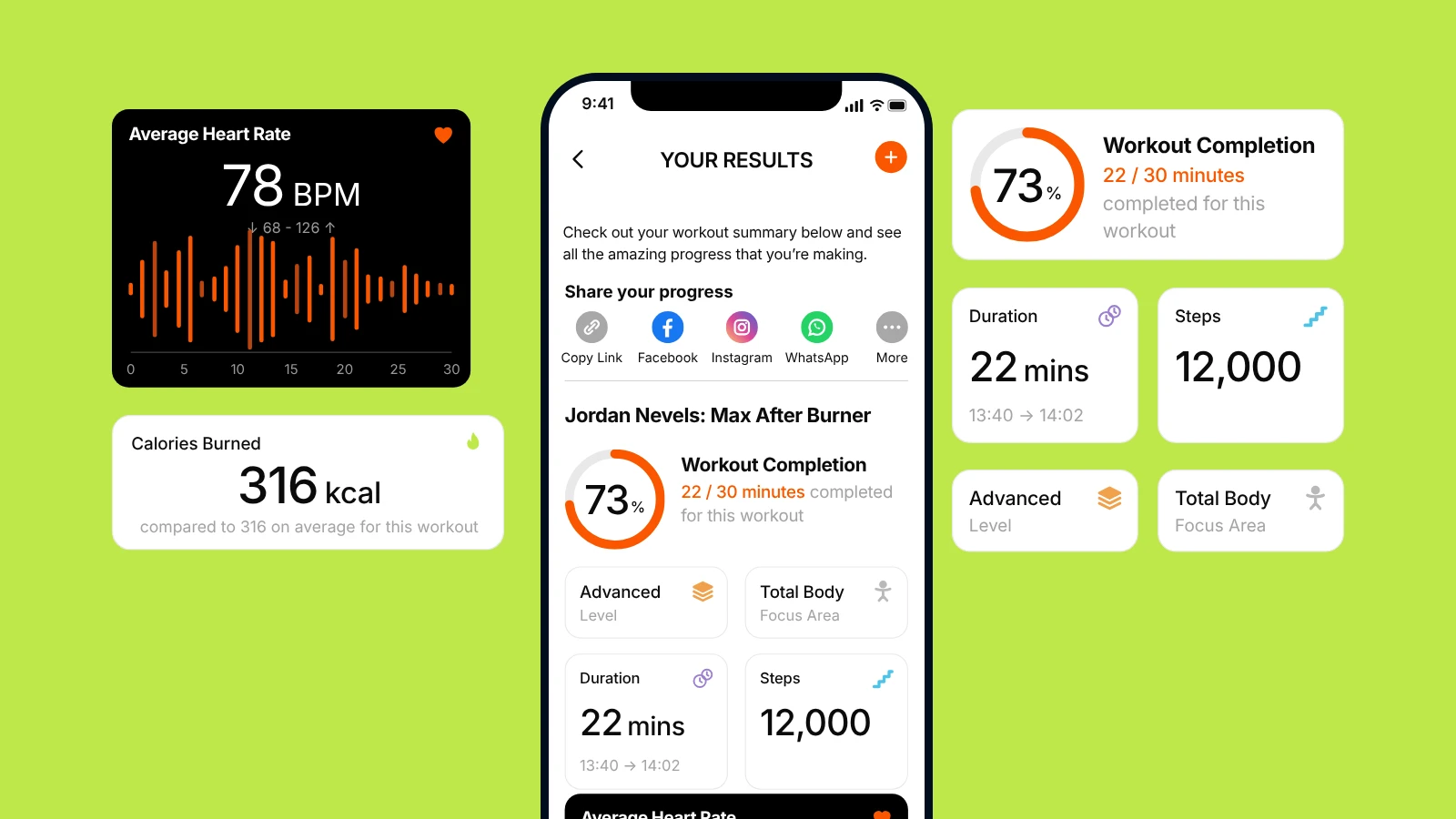
New Image’s results design brings together duration, completion and activity data, alongside details such as workout difficulty and focus area. It gives someone a place to review the session without having to piece the information together themselves.
Choosing what to leave out is harder.
A device might record a dozen measurements, and it’s tempting to show all of them. Start with the information someone needs to understand the workout. Extra detail can sit further down or behind a tap, where it’s available without making the first view harder to read.
Take “above average”. It sounds helpful, but whose average? The person’s usual result for this workout, their monthly average or everyone else’s performance? A few words beside the number can clear that up.
And sometimes the data simply isn’t there. If a device failed to record a reading, say so. A missing reading shouldn’t make a completed workout look like zero activity.
Show progress across workouts
A session summary explains today. A progress screen helps someone see how things are going over time. Both are useful, but they need different views of the same activity.
New Image’s earlier progress screen showed a single data point. The updated designs include more activity information, past sessions and daily, weekly and monthly views.
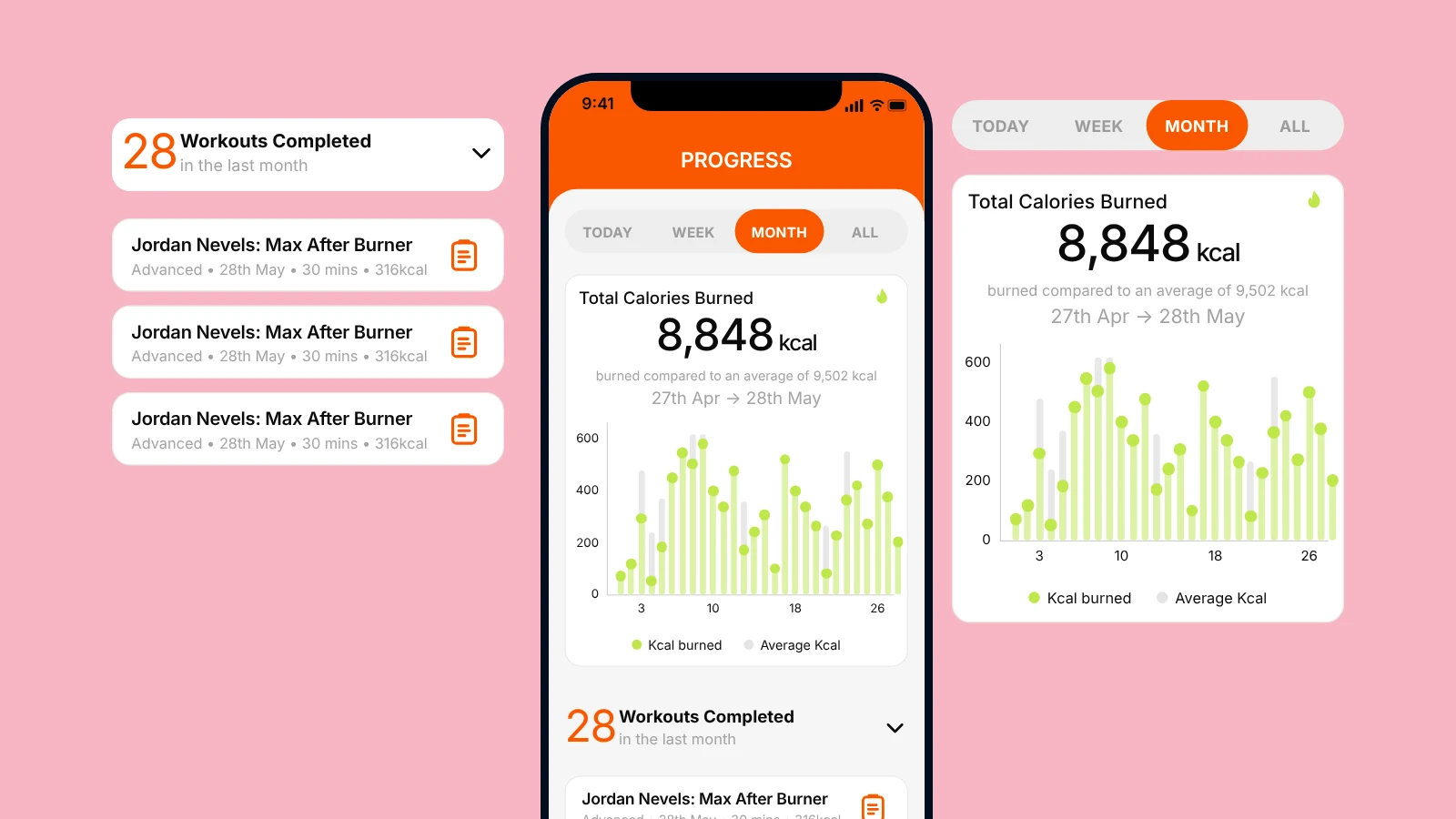
The point of those views is what they help someone work out. Today, that might be checking that a session was recorded. At the end of the week, it might be seeing how often they exercised. Over a month, changes in their routine become easier to spot.
A list, a total and a chart each do a different job. Use the one that makes the answer easiest to find. There’s no need to fit all three into every view.
One thing to watch: a bigger number isn’t always a better result. More minutes or calories won’t suit every training plan. Show the activity clearly and keep any judgement tied to the person’s goal.
Connect the result to the next workout
Someone finds a workout they like and wants to do it again next week. Ideally, that should take very little effort.
New Image’s results design includes two actions: “Add workout to a plan” and “Create a plan with this exercise”. Both let someone act on the session they’ve just finished, while it’s still in front of them.
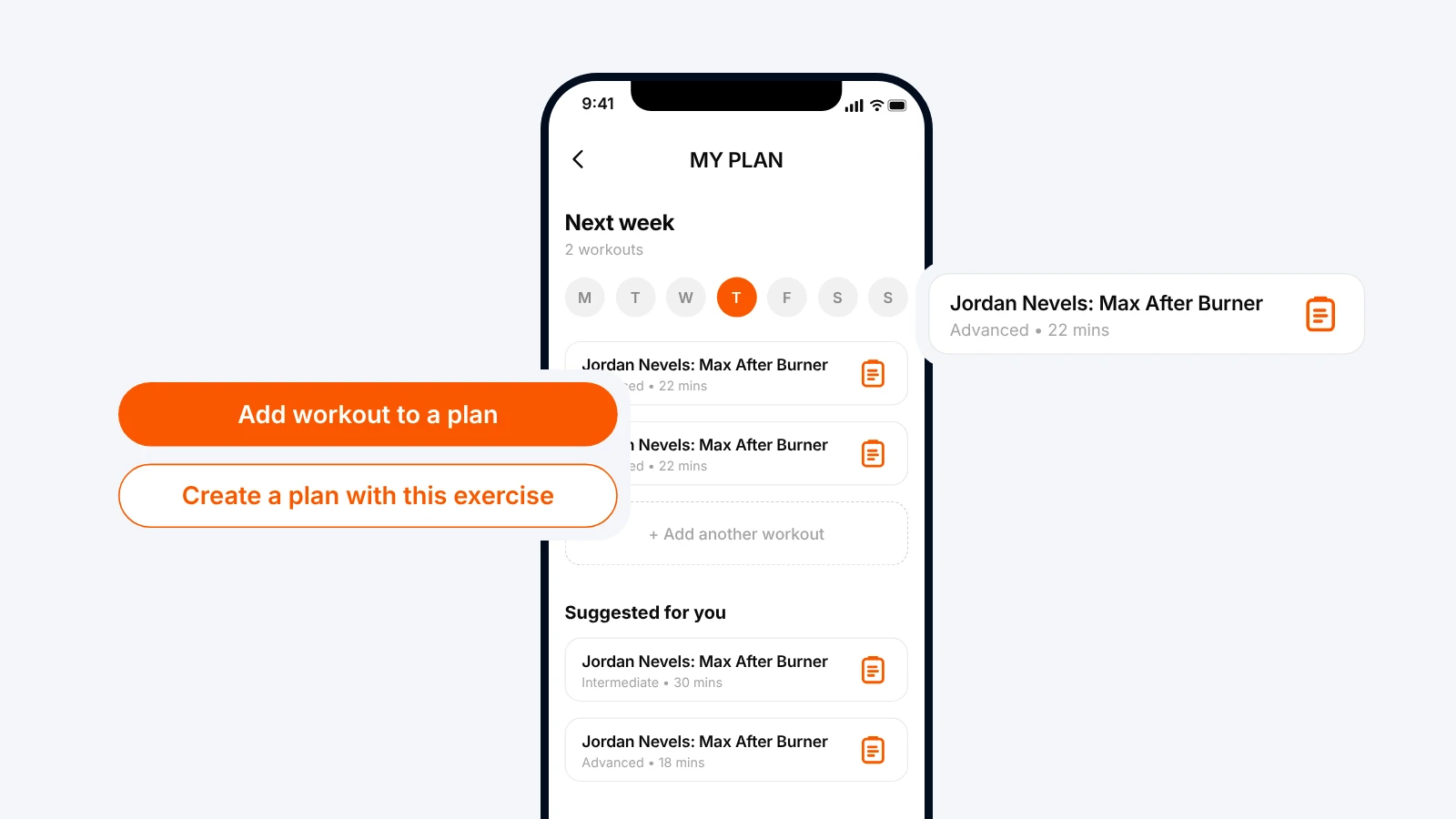
The workout is already there, so there’s no reason to send someone back to the catalogue to find it again. The button labels also make the choice clear before they tap.
Before adding more reminders or recommendations, check this small piece of the experience. Can someone save a workout they like from the results screen? Does the app carry it into the plan, or ask them to choose it all over again?
And let them leave. Finishing a workout is a perfectly good place to stop.
Test the whole sequence
Before committing to a larger redesign, test one sequence: complete a workout, understand the result, find it in the history and add it to a plan.
Watch a few users try it and ask them to explain the result in their own words. Where do they pause? What do they misunderstand? Which step sends them looking elsewhere?
That gives the team something concrete to improve: a clearer comparison, a more useful history view or a direct route into planning.
Then check whether the change helped people do that task. Could they understand the summary, find the session or add it to a plan? If the bigger goal is retention, track whether they return over time too. More button clicks won’t answer that question on their own.
The full New Image case study covers the wider project, including connected devices and the app’s freemium model.
For teams choosing what to improve next, Fortnight offers a free UX audit for selected mobile and web apps, with annotated screens and practical recommendations on what to change or test.
Custom iOS and Android apps built for your business and your customers.
Explore the service →Or get in touch